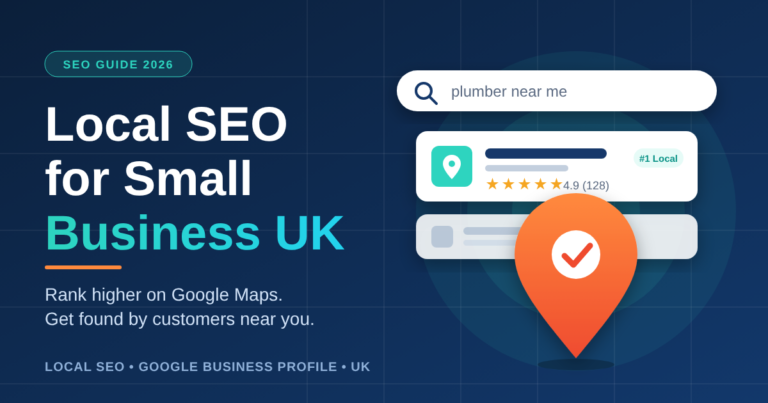

Local SEO for small business UK owners comes down to three things: a well-built Google Business Profile, consistent local citations and genuine customer reviews. Get those right, and your business can appear when people nearby search for what you sell.
When someone in Leeds searches “emergency plumber near me” or someone in Bristol searches “best dentist”, they rarely scroll past the first few results. Those results sit in the map pack: the three businesses Google shows beneath a map, above the regular website listings. If your business is not in that box, you are invisible to most people who are ready to buy.
The good news is that local SEO is the most affordable form of search marketing for a small UK business. You do not need a big budget or a large website. You need three things done properly: a well-built Google Business Profile, consistent local citations, and a steady flow of genuine reviews.
This guide walks through each one, step by step, with the UK-specific details that most generic guides miss.
Local SEO for Small Business UK: What It Is and Why It Matters
Local SEO is the work of making your business appear when people search for services in a specific place. That might be a search with a town name in it (“accountant in Norwich”), or a search with no place name at all (“accountant near me”), where Google uses the searcher’s location.
People searching for a local service are usually close to buying: they want a call, a booking or directions, not a long read. For a plumber, a salon, a café, a solicitor or a driving instructor, that is the difference between a quiet week and a full diary.
Google says it decides local rankings mainly on three factors:
- Relevance: how well your profile matches what the person searched for.
- Distance: how close your business is to the searcher, or to the area named in the search.
- Prominence: how well known and trusted your business appears to be, based on reviews, links, mentions and your overall web presence (what SEOs call off-page SEO).
You cannot change where a customer is standing, but you can improve relevance and prominence. That is exactly what the rest of this guide covers.
Step 1: Set up and optimise your Google Business Profile
Your Google Business Profile (GBP) is the free listing that appears in Google Search and Google Maps. For most small businesses it is the single most important local SEO asset you own, often more important than your website.
Claim and verify your profile
Search for your business name on Google. If a listing already exists, claim it. If not, create one at business.google.com. Google will ask you to verify that you really run the business. Depending on your situation, that may be by phone, email, a video recording or a postcard sent to your address. Complete verification as soon as you can, because an unverified profile has very limited visibility.
If you work from home and do not want customers to see your address, you can set up as a service area business. You then list the towns or postcodes you cover and hide your home address from the public.
Choose the towns and postcode areas you genuinely serve, rather than listing half the country. A plumber based in Leeds might list Leeds, Headingley and Horsforth, not “all of Yorkshire”.
Use your real business name
Your profile name must match the name you use in the real world: on your shopfront, van, invoices and website. Do not add keywords or locations to the name, for example “Smith Plumbing – Cheap Emergency Plumber Manchester”. It may look like a clever trick, but it breaks Google’s guidelines, and suspended profiles are a very common result.
If you run a limited company, use the name customers actually see on your van, shopfront, invoices and website (your trading name). It may be different from the registered name at Companies House, and that is fine.
Choose the right categories
Your primary category is one of the strongest signals you control. Pick the one that describes your main service as specifically as possible: “Electrician” rather than “Home improvement”, “Driving school” rather than “Education”. Then add secondary categories for other services you genuinely offer. Look at the top-ranking competitors in your area and see which categories they use.
Complete every section
Incomplete profiles lose to complete ones. Make sure you fill in:
- Address or service area: accurate and consistent with your website.
- Phone number: a local number or a number you answer. Use the same one everywhere.
- Website link: point it to your homepage or a relevant local landing page.
- Opening hours: including special hours for bank holidays, Christmas and Easter. Wrong hours are one of the quickest ways to annoy a customer.
- Services: list each service with a short, plain description.
- Business description: write a clear paragraph about what you do, who you serve and where. Write for people first. Do not stuff it with keywords.
- Attributes: such as wheelchair accessible, women-led or free Wi-Fi, where they apply.
Add real photos regularly
Photos build trust faster than any text. Upload your logo, a clear cover image, photos of your premises, your team, your vehicles and your finished work. Avoid stock photos. Aim to add new images every few weeks, because an active profile signals a business that is open and trading.
Use Google Posts and updates
Posts let you share offers, news and seasonal services directly on your profile. They are not a magic ranking button, but they keep your profile fresh and give customers a reason to click. A short post every week or two is enough.
Step 2: Build consistent local citations
A citation is any online mention of your business name, address and phone number (often shortened to NAP). It might be a directory listing, a chamber of commerce page, a trade body profile or a local news mention. Citations help search engines confirm that your business is real, where it is, and that it matches the information on your profile.
The key word is consistency. If your profile says “Unit 4, Mill Road” and a directory says “4 Mill Rd”, it is a small thing, but dozens of small mismatches add confusion. Pick one exact format for your name, address and phone number and copy it everywhere.
Here is what a consistent listing looks like (example details only):
- Smith Plumbing
- 14 Mill Road, Headingley, Leeds LS6 1AB
- 0113 496 0000
- www.example.co.uk
Decide up front whether you write “Road” or “Rd”, whether the phone number has a space in it, and whether you use 0113 or +44 113. Then use the same version on every listing.
Where to list your business in the UK
Start with the major platforms, then add sector-specific ones:
- Bing Places for Business: free, and it also feeds other services.
- Apple Business Connect: controls how you appear in Apple Maps, which matters because many iPhone users never open Google Maps.
- Facebook Business Page and LinkedIn Company Page: keep details identical to your profile.
- Yell.com and Thomson Local: long-standing UK directories that people still use.
- FreeIndex and similar free directories: worth listing on, but quality matters more than quantity.
- Trade and review platforms: Checkatrade and TrustATrader for trades, and the equivalent trade body or professional register for your own field (for example, a regulator’s “find a solicitor/accountant/architect” register).
- Local sources: your local chamber of commerce, business networking groups, town or village websites, and local community directories.
Quality over quantity
Ten accurate, relevant listings beat a hundred random ones. Avoid paying for bulk submission packages that push your details onto hundreds of low-quality sites. They rarely help, and they make it harder to keep your information consistent.
Audit and fix what already exists
Many businesses already have old listings from a previous address, a former phone number or a trading name they stopped using. Search for your business name plus your old details and tidy up what you find. Update or remove the wrong entries. This clean-up often gives a better return than creating new listings.
Step 3: Earn more (and better) Google reviews
Reviews influence both rankings and customer decisions. People compare star ratings, read the most recent reviews and look at whether the owner replies. A business with 80 recent reviews at 4.7 stars will almost always beat one with 6 reviews at 5.0.
How to ask for reviews
The best time to ask is right after you have delivered a good result: when the plumber has fixed the leak, the haircut looks great, the accounts are filed. Make it as easy as possible.
- Copy your direct review link from your Google Business Profile (look for the option to ask for reviews) and send it by text or email.
- Turn the link into a QR code and put it on invoices, receipts, counter cards or a leaflet.
- Ask in person, then follow up with the link so the customer can do it in 30 seconds.
- Make asking part of your normal process, for example a template message that goes out after every job.
Keep the request short and personal. “Thanks again, Sarah. If you have a minute, a Google review would really help our small business” works better than a long, formal message.
Reply to every review
Reply to positive reviews with a short, specific thank-you. Reply to negative reviews calmly, professionally and quickly. Do not argue. Acknowledge the problem, say what you will do and offer to continue offline. Future customers read your replies as much as the review itself, and a thoughtful reply to a bad review often builds more trust than a page of praise.
The rules you must follow
This is where many small businesses get into trouble, so read it carefully.
- Never buy, write or swap fake reviews. Fake reviews are not just against Google’s policies. In the UK, the Digital Markets, Competition and Consumers Act 2024 banned fake reviews and undisclosed incentivised reviews. The rules came into force on 6 April 2025. Breaches are not criminal offences, but the Competition and Markets Authority (CMA) can investigate directly and fine businesses up to 10% of their global turnover.
- Do not offer rewards for reviews unless the platform’s rules clearly allow it. Discounts, prize draws and free gifts in return for reviews can cause problems with both Google and the law.
- Do not “gate” reviews. That means asking only happy customers to review and steering unhappy ones to a private form. Ask everyone in the same way.
- Do not ask staff or family to leave reviews. Google can remove them, and it can look suspicious.
Genuine reviews, collected honestly and replied to well, are the safest and most powerful local ranking tool you have.
Copy-and-paste templates for UK businesses
These examples use a made-up plumber, Smith Plumbing, in Leeds. Change the details to match your own business and keep the tone natural.
Review request (text or WhatsApp)
Hi Sarah, thanks for choosing Smith Plumbing today. We’d really value your honest feedback. Would you mind leaving us a quick Google review? It takes about 30 seconds and helps other local customers find us: [your review link]. Thanks, Tom
Reply to a positive review
Thank you, Sarah. It was a pleasure sorting your boiler, and we’re glad it is running well again. Do get in touch if you ever need us again. Tom, Smith Plumbing
Reply to a negative review
Hi Mark, we’re sorry the engineer arrived late and that you were left waiting. That is not the standard we aim for, and we’d like to put it right. Please call us on 0113 496 0000 or email us so we can look into it properly. Tom, Smith Plumbing
Keep replies to negative reviews short and calm, and never share a customer’s private details in public.
Business description (example)
Smith Plumbing is a family-run plumbing and heating company based in Headingley, Leeds. We repair and install boilers, fix leaks and fit bathrooms for homeowners and landlords across Leeds and the surrounding areas. We give a clear price before any work starts, and we offer same-day call-outs for emergencies. Call us or request a free quote online.
Google limits this field, so keep it short, factual and free of keyword stuffing. Only mention accreditations, such as Gas Safe registration for gas work, if they are true and you can prove them.
Step 4: Make your website support your local rankings
Your Google Business Profile and citations do the heavy lifting, but your website needs to back them up.
- Make sure your name, address and phone number appear clearly on your website, ideally in the footer and on your contact page, matching your profile exactly.
- Create a page for each main service and each key area you serve. For example, “Boiler repair in Sheffield” and “Boiler repair in Rotherham”. Each page should contain unique, useful content: real examples, local details, customer questions. Our guide to on-page SEO shows how to structure titles, headings and content on each page. Do not copy the same page and just swap the town name.
- Use the town or area name naturally in page titles, headings and body text.
- Embed a Google Map on your contact page.
- Add LocalBusiness structured data (schema) so search engines can read your business details clearly. Many SEO plugins for WordPress can do this for you.
- Make the site fast and mobile-friendly. Most local searchers are on a phone and in a hurry.
- Show proof: testimonials, accreditations, memberships, insurance details and before-and-after photos.
Step 5: Measure what is working
Local SEO is easier to improve when you can see the results.
- Google Business Profile performance: shows how many people viewed your profile, called you, asked for directions or visited your website.
- Google Search Console: shows which searches bring people to your website and which pages perform.
- Add tracking to your website link in your profile so that visits from Google Business Profile can be separated in your analytics. If you use Google Analytics, check it is set up lawfully for UK visitors: see our ICO cookie guidance checklist and our guide to GA4 without cookie consent in the UK.
- Track calls and enquiries: simply ask new customers how they found you and record the answer.
- Check your ranking from different locations. Results change street by street, so checking from your own desk can be misleading.
Look at the numbers monthly, not daily. Local rankings move gradually.
Common local SEO mistakes to avoid
- Keyword-stuffing your business name or description.
- Using a virtual office, PO box or shared address that you do not actually operate from. Google may suspend the profile.
- Having different phone numbers or addresses across your website and directories.
- Ignoring reviews, or replying defensively to negative ones.
- Buying cheap citation or review packages.
- Setting up duplicate profiles for the same location.
- Leaving the profile untouched for months, with wrong bank holiday hours.
Your 30-day local SEO action plan
Week 1: Foundations
- Claim and verify your Google Business Profile.
- Check your name, categories, hours, services and description.
- Upload at least 10 real photos.
Week 2: Citations
- Decide on one exact format for your name, address and phone number.
- List or fix your details on Bing Places, Apple Business Connect, Facebook and Yell.
- Add the key trade or professional directories for your industry.
- Remove or correct old, duplicate or incorrect listings.
Week 3: Reviews
- Copy your Google review link and create a QR code.
- Send a polite request to your last 10 to 20 happy customers.
- Reply to every existing review.
Week 4: Website and tracking
- Make sure your contact details match everywhere.
- Add or improve your main service and area pages.
- Add schema, a map and local proof.
- Check your Google Business Profile performance and note your starting numbers.
Then repeat the habits that matter: ask for reviews, reply to them, add photos and posts, and keep your information accurate.
Frequently asked questions
How long does local SEO take to work in the UK?
Small improvements, such as a better profile and more reviews, can show results within a few weeks. Stronger, more stable rankings usually take three to six months, depending on how competitive your town and trade are.
Do I need a website to appear on Google Maps?
No. You can have a Google Business Profile without a website. A good website does help you rank and convert better, though, so it is worth having one.
How many Google reviews do I need?
There is no magic number. Look at the businesses that rank above you and aim to match or beat their review count and recency. A steady flow of new reviews matters more than a sudden burst.
Can I hide my home address?
Yes. If you serve customers at their location, set up as a service area business and hide your address. Do not use a fake address to make the profile look more local.
Should I pay for an agency?
You can do most of the foundational work yourself, as this guide shows. An agency or freelancer can help if you are in a competitive area, have several locations or simply lack time. Ask for clear reporting and avoid anyone who promises guaranteed number-one rankings.
Final thoughts
Local SEO for small business UK owners rewards businesses that are accurate, active and trusted. Build a complete Google Business Profile, keep your details consistent across the web, earn genuine reviews and back it all up with a useful local website. Do those four things steadily, and you will start appearing where your next customers are already looking. To keep your site useful month after month, a simple content marketing plan helps.