


A customer can add a product to their cart, compare options, and reach the checkout page with every intention of buying. But if the checkout process feels complicated, expensive, slow, or confusing, that customer may leave before completing the purchase.
This is why checkout optimization matters. A well-designed checkout removes unnecessary friction and makes it easy for customers to understand what they are buying, how much they will pay, when they will receive it, and how they can complete the payment.
Cart abandonment cannot be eliminated completely because some shoppers are only researching products or comparing prices. However, businesses can reduce avoidable abandonment by improving the checkout experience.
In this guide, you will learn 10 practical checkout optimization strategies that can help reduce cart abandonment, improve checkout UX, and create a smoother path from cart to completed order.
What Is Checkout Optimization?
Checkout optimization is the process of improving the checkout experience so customers can complete their purchases with as little unnecessary friction as possible.
It involves more than simply reducing the number of checkout pages. A good checkout should make important information easy to understand while removing distractions and unnecessary steps.
Important areas of checkout optimization include:
- Checkout form design
- Guest checkout
- Payment methods
- Shipping information
- Order summaries
- Mobile usability
- Error messages
- Trust signals
- Delivery information
- Checkout speed
- Account creation
- Conversion tracking
The goal is simple: make completing a purchase clear, convenient, and trustworthy.
Why Do Customers Abandon Their Carts?

Cart abandonment can happen for many reasons, and not every abandonment is caused by poor website design.
Some shoppers add products to compare prices, calculate their budget, save items for later, or simply browse. Others leave because the checkout creates unnecessary obstacles.
Common problems include:
- Unexpected shipping costs
- Additional fees appearing late
- Complicated checkout forms
- Mandatory account creation
- Limited payment options
- Poor mobile usability
- Unclear delivery times
- Website or payment errors
- Lack of trust
- Too many unnecessary steps
The most useful approach is not to assume why people leave. Instead, use analytics, customer feedback, usability testing, and checkout behavior to identify the problems affecting your own store.
10 Checkout Optimization Strategies to Reduce Cart Abandonment
1. Offer a Clear Guest Checkout Option
Forcing shoppers to create an account before purchasing can create unnecessary friction.
Some customers may not want another password to remember, while others may simply want to complete a quick purchase. If account creation is mandatory, they may decide that the purchase is not worth the extra effort.
Make guest checkout easy to find and clearly distinguish it from account-based checkout.
A better approach is to let customers:
- Continue as a guest
- Sign in if they already have an account
- Create an account after completing the purchase
You can still encourage account creation by explaining the benefits, such as faster future checkout or easier order tracking. The important point is not to make registration a barrier to purchasing.
2. Remove Unnecessary Checkout Form Fields
Long and complicated forms can make checkout feel harder than it needs to be.
Review every field and ask whether the information is genuinely required to process the order. If a field does not serve a clear purpose, consider removing it.
A streamlined checkout should:
- Ask only for necessary information
- Clearly identify required fields
- Use descriptive field labels
- Support browser and device autofill
- Avoid asking for the same information twice
- Use appropriate input types
- Preserve entered information when an error occurs
For example, if a business does not need a customer’s company name for a normal consumer order, that field may not belong in the main checkout form.
The goal is not to achieve a specific number of fields. The goal is to remove unnecessary work for the customer.
3. Show the Full Cost Before Payment
Unexpected costs can quickly destroy purchase confidence.
Customers should understand the expected total before they reach the final payment step. Make important costs visible, including:
- Product price
- Discounts
- Shipping
- Taxes
- Additional fees
- Final order total
If shipping depends on the customer’s location, explain when and how the cost will be calculated.
A clear order summary can prevent unpleasant surprises and help customers feel more confident about completing the transaction.
Instead of making shoppers search for the final price, present the information clearly in one place.
4. Make Mobile Checkout Simple
A large portion of online shopping activity happens on mobile devices, so mobile checkout deserves special attention.
A checkout that works well on a desktop computer can still be frustrating on a smartphone.
Make mobile checkout easier by using:
- Large, easy-to-tap controls
- Responsive layouts
- Simple forms
- Autofill support
- Appropriate mobile keyboards
- Clearly visible buttons
- Readable text
- Minimal unnecessary pop-ups
Customers should not have to zoom in, repeatedly scroll sideways, or struggle to select small buttons.
Test the entire purchase journey on different screen sizes rather than checking only whether the page technically loads on mobile.
5. Provide Relevant Payment Methods
Customers have different payment preferences depending on their location, device, purchase type, and personal habits.
Offering relevant payment options can make checkout more convenient. Depending on your market, these may include:
- Credit and debit cards
- Digital wallets
- Bank-based payment options
- Buy-now-pay-later services
- Local payment methods
- Other trusted payment providers
However, more payment options do not automatically mean a better checkout.
Choose payment methods that are relevant to your customers and integrate them clearly into the checkout experience. Avoid presenting so many choices that the payment section becomes confusing.
6. Build Trust at the Point of Purchase
Customers are often more cautious when they are about to enter payment and personal information.
Your checkout should communicate that the transaction is legitimate, secure, and supported.
Useful trust elements can include:
- Secure payment information
- Recognizable payment methods
- Clear return policies
- Delivery information
- Customer support details
- Privacy information
- Clear business contact information
Avoid filling the page with excessive badges or visual clutter. Trust is created through the overall experience, not simply by adding security icons.
A professional checkout, transparent policies, clear pricing, and familiar payment options can all contribute to customer confidence.
7. Make Shipping and Delivery Information Clear
Shipping uncertainty can become a major obstacle when customers are deciding whether to complete an order.
Make important delivery information easy to find before payment.
Where relevant, show:
- Available shipping methods
- Shipping costs
- Estimated delivery dates
- Free shipping requirements
- Pickup options
- Delivery restrictions
- International shipping information
An estimated delivery date is often more useful than simply saying “standard shipping.”
Customers want to know not only how much delivery costs, but also when they can expect the order to arrive.
8. Create Helpful Checkout Error Messages
Errors are unavoidable, but confusing error messages can make them much worse.
A customer should immediately understand what went wrong and how to fix it.
Instead of using a vague message such as:
“Invalid input.”
Provide a more useful explanation that identifies the problem and tells the customer what to do next.
Good checkout error messages should:
- Identify the affected field
- Explain the problem clearly
- Suggest the correction
- Keep previously entered information
- Appear close to the relevant field
- Avoid forcing customers to restart the process
For payment errors, explain what happened without exposing sensitive information.
The objective is to help customers recover from mistakes instead of making them feel like they have reached a dead end.
9. Keep the Checkout Focused
The checkout page has one primary purpose: helping the customer complete the purchase.
Too many distractions can interfere with that goal.
Review your checkout for:
- Unnecessary navigation
- Large promotional banners
- Excessive cross-sells
- Multiple competing buttons
- Unnecessary pop-ups
- External links
- Distracting animations
This does not mean the checkout should hide important information. Customers still need access to essential details such as shipping, returns, support, and order information.
The principle is simple: remove distractions while keeping important information accessible.
10. Test Your Checkout Instead of Guessing
One of the most important checkout optimization practices is continuous testing.
A change that works for one ecommerce business may not work the same way for another. Your audience, products, traffic sources, pricing, market, and customer expectations all influence the results.
Start by monitoring useful metrics such as:
- Cart-to-checkout rate
- Checkout completion rate
- Checkout abandonment rate
- Payment failure rate
- Form error rate
- Mobile versus desktop performance
- Performance by payment method
- Performance by traffic source
Analytics can help you identify where customers are leaving. Usability testing, customer feedback, surveys, and session analysis can help you understand why they are leaving.
You can then test changes such as:
- Guest checkout versus required registration
- Shorter versus longer forms
- Different payment layouts
- Different delivery information
- Order-summary designs
- Checkout button wording
- Placement of trust information
The goal is not to copy a tactic because it worked somewhere else. The goal is to find improvements supported by evidence from your own customers.
Checkout Optimization Best Practices Checklist
Before publishing or redesigning your checkout, use this checklist:
- Guest checkout is clearly available
- Unnecessary form fields have been removed
- Required and optional fields are obvious
- Total costs are visible before payment
- Shipping information is clear
- Delivery expectations are easy to understand
- Checkout works smoothly on mobile
- Relevant payment methods are available
- Error messages are useful and easy to understand
- Trust information is visible without creating clutter
- The primary checkout action is clear
- Unnecessary distractions have been removed
- Checkout performance is being measured
- Changes are tested before being rolled out widely
How Checkout Optimization Can Improve Ecommerce Conversions
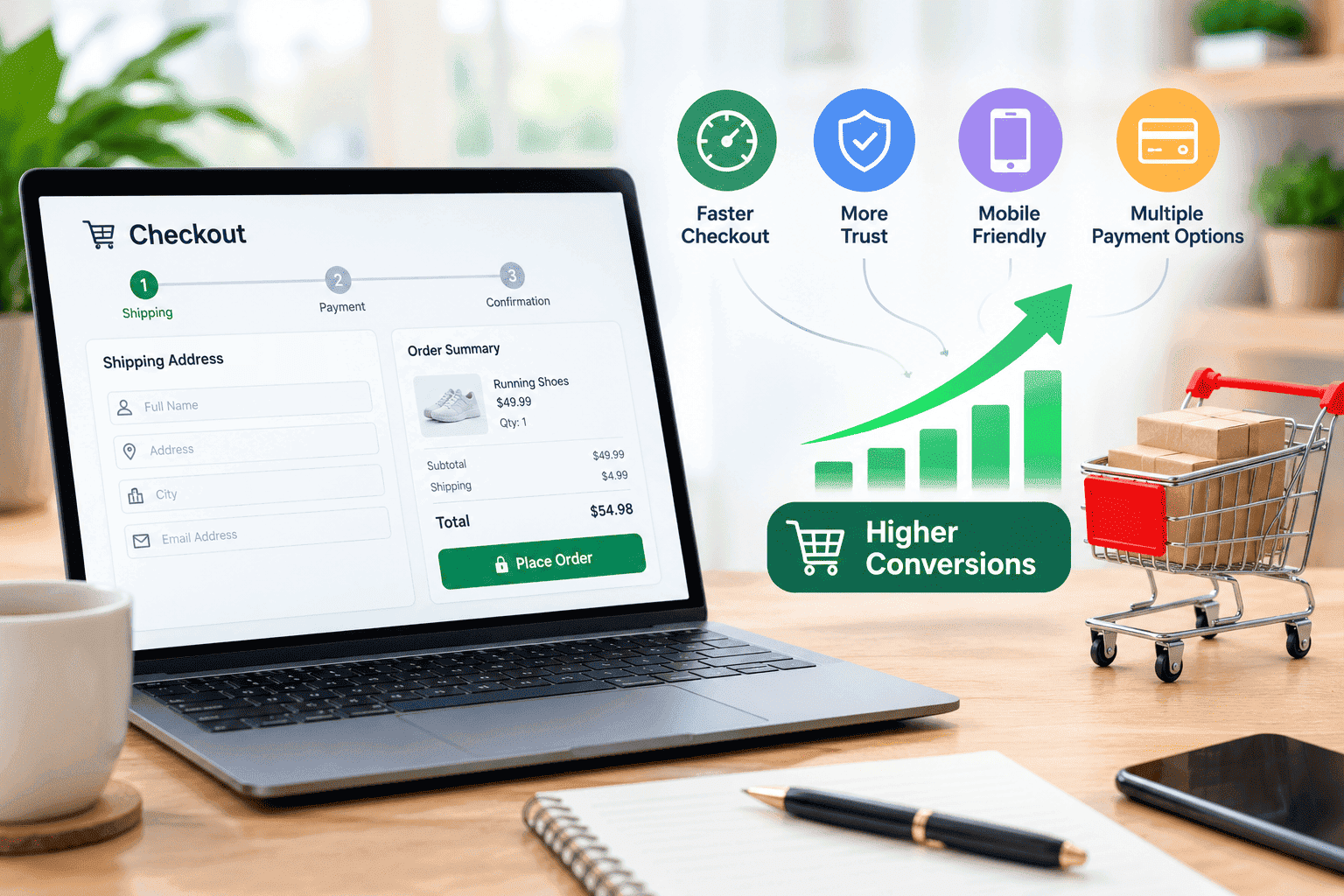
Checkout optimization can improve the final stage of the customer journey by removing obstacles that prevent willing shoppers from completing their orders.
A smoother checkout can make it easier for customers to:
- Complete purchases
- Understand total costs
- Choose a preferred payment method
- Correct form errors
- Feel confident about the transaction
- Understand delivery expectations
However, checkout optimization should not be treated as a guaranteed conversion-rate formula.
If a store has weak product pages, unclear pricing, poor product-market fit, slow performance, or low customer trust, improving the checkout alone may not solve the larger conversion problem.
That is why checkout optimization works best as part of a broader conversion rate optimization strategy.
FAQs About Checkout Optimization
How many checkout fields should an ecommerce website have?
There is no universal ideal number of checkout fields. The better approach is to remove fields that are not necessary for completing the transaction and make the remaining fields as easy as possible to complete.
Does mobile checkout affect cart abandonment?
Yes. Difficult mobile forms, small buttons, poor layouts, slow pages, and confusing navigation can make purchasing harder on smartphones. Testing the complete mobile checkout experience can reveal problems that are not obvious on desktop.
Are discounts the best way to reduce cart abandonment?
Not necessarily. Discounts may encourage some purchases, but they should not be the first solution to every abandonment problem. If customers are leaving because of confusing checkout steps, unexpected fees, payment problems, or poor mobile usability, fixing those issues may be more appropriate.
How do I find where customers abandon the checkout?
Use analytics to track the customer journey from cart to checkout completion. Break the data down by device, traffic source, payment method, and other useful segments. Then combine this information with usability testing, customer feedback, and session analysis to understand the reasons behind the drop-off.
Conclusion
Effective checkout optimization is not about making every checkout as short as possible. It is about making the purchasing process clear, predictable, convenient, and trustworthy.
Start with the fundamentals: provide a visible guest checkout, remove unnecessary form fields, show the full cost, simplify mobile checkout, offer relevant payment methods, explain shipping clearly, improve error messages, reduce distractions, and continuously test the experience.
You do not need to eliminate every instance of cart abandonment. Some shoppers will always browse, compare products, or postpone their purchase. The objective is to remove the avoidable friction that prevents customers who are ready to buy from completing their orders.
A better checkout gives customers fewer reasons to stop and more confidence to finish.