


Key takeaways
- The ICO published its final updated guidance on cookies and similar technologies on 29 April 2026. It now covers “storage and access technologies”, a wider term than cookies.
- The Data (Use and Access) Act added new exceptions. Some basic website analytics can now run without consent, but only if strict conditions are met, including giving visitors an easy way to object.
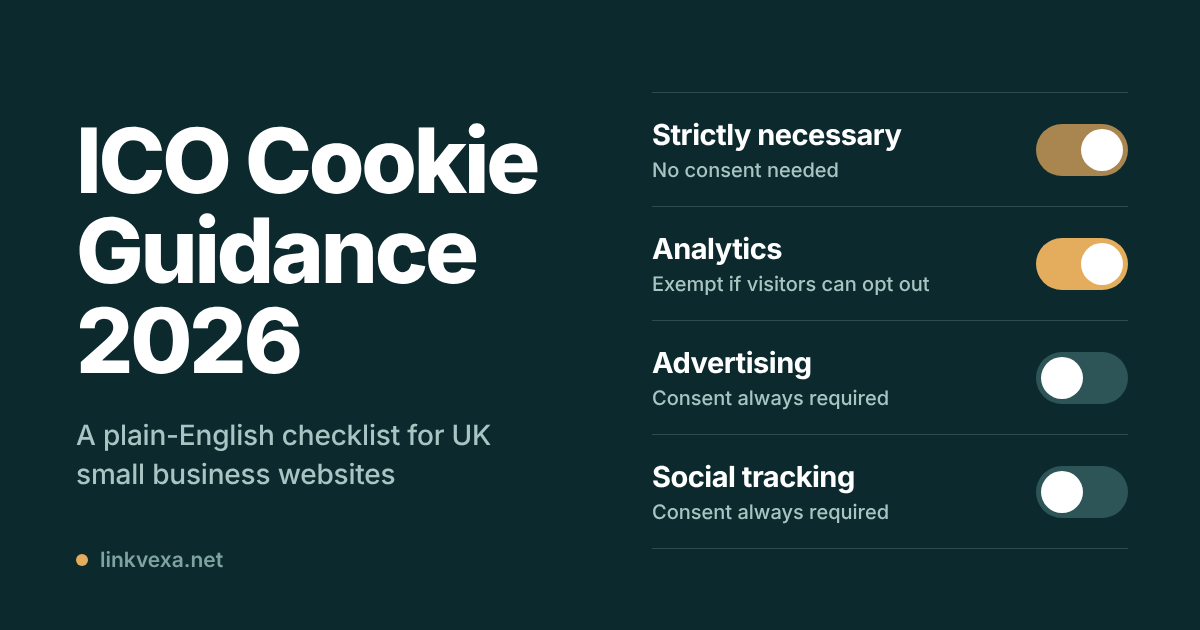
- Advertising, retargeting and social media tracking still need opt-in consent. No exception covers them.
- A compliant banner makes rejecting as easy as accepting, and sets nothing non-essential until the visitor makes a choice.
- Maximum penalties under the cookie rules now sit at UK GDPR levels.
If you run a small business website in the UK, there is a good chance your cookie banner was installed years ago and never looked at again. Perhaps it is a plumber’s brochure site on WordPress, a Shopify shop, or a consultancy blog with a newsletter form. The ICO cookie guidance 2026 update changed the rules, and some of the change is good news for small sites. Some of it will catch you out if you assume nothing has moved.
This guide summarises the ICO’s storage and access technologies guidance for small businesses, in plain English. It explains what changed, which technologies need consent, and gives you a checklist you can work through in an afternoon. We have kept the legal jargon to a minimum and linked to the ICO’s own pages so you can check every claim yourself.
What Has Changed in UK Cookie Rules?
Here is UK cookie law explained simply, in three steps.
The law changed. The Data (Use and Access) Act received Royal Assent on 19 June 2025. Its changes to the cookie rules in the Privacy and Electronic Communications Regulations (PECR) took effect in stages, with key provisions coming into force on 5 February 2026.
The guidance caught up. On 29 April 2026 the ICO finalised its updated guidance on storage and access technologies. It replaces the older “detailed cookies guidance” and adds worked examples for the new exceptions.
The penalties went up. PECR fines used to be capped at £500,000. Law firm Clifford Chance reports that the Act raised the PECR maximum to UK GDPR levels: £17.5 million or 4% of global annual turnover, whichever is higher. Our PECR fines guide looks at what that means for small businesses in practice.
The core rule has not flipped. You still need a visitor’s consent before storing or reading information on their device, unless an exception applies. What changed is the list of exceptions, which now has five entries instead of two. For the bigger picture on analytics, see our pillar guide on analytics without cookie banners in the UK.
What Counts as a “Cookie” Under the ICO’s Guidance?
The ICO no longer talks only about cookies. Its term is storage and access technologies, which means anything that saves information on a visitor’s device or reads information back from it. In practice that includes:
- Cookies (first-party and third-party)
- Local storage and similar browser storage
- Tracking pixels (the Meta pixel is a common one)
- Software development kits inside apps
- Device fingerprinting scripts
This matters because many small business owners think “we don’t use cookies” and stop there. If your site loads a pixel, a chat widget, an embedded YouTube video or a map, something on that page may be storing or reading data on the visitor’s device, whatever you call it.
Which Cookies Need Consent in the UK and Which Don’t?
The ICO lists five exceptions: communication, strictly necessary, statistical purposes, appearance and emergency assistance. For a typical small business website, the first four matter and the fifth (emergency location services) almost never does. Here is how the common cases line up.
| What the technology does | Typical example | Consent needed? |
| Strictly necessary for a service the visitor asked for | Shopping basket, login session, security checks, remembering the visitor’s cookie choice | No |
| Statistical purposes (analytics) | Page views, scroll depth, device and browser type, referrer, A/B testing | No, if the conditions below are met |
| Appearance and preferences | Remembering language, adapting layout to screen size, dark mode | No, if the visitor is informed and can object |
| Online advertising | Ad pixels, remarketing, ad performance measurement | Yes. No exception applies |
| Social media or cross-site tracking | Tracking plugins, linking a visitor across sites or devices | Yes |
Two details are easy to miss. First, the ICO judges “strictly necessary” from the visitor’s point of view, not yours. Advertising cookies may pay for your site, but they are not necessary for the visitor to use it. Second, the exceptions are narrow. If a single cookie does an exempt job and a non-exempt job at the same time, you need consent for it.
The Statistical Purposes Exception Explained
This is the change most small sites will care about. Under the new exception, you do not need consent for storage or access whose sole purpose is to collect statistical information about how your site is used, so that you can improve it.
In the ICO’s view, the kind of activity that fits includes:
- Total visits to the site and to individual pages
- How far visitors scroll and which sections they interact with
- Device types and browser versions
- How visitors arrived (search, email campaign, another site)
- A/B tests comparing two versions of a page
- Coarse location, such as city or region, that cannot identify anyone
- Page speed, bounce rate and exit pages
The activity the ICO says does not fit is just as important:
- Recordings or logs of individual visitors’ sessions
- Measuring whether people saw or clicked an advert
- Linking a visitor to a purchase so the result can be passed to an advertising partner
- Profiling visitors or groups of visitors, for example segmenting by age or gender to decide what to promote
- Following visitors across different services
To rely on the exception you must also:
- Tell visitors clearly what you are doing and why.
- Give them a simple, free way to object. If someone objects, you must stop. Relying only on their browser settings is not enough.
- Aggregate the data and avoid keeping individual-level records for longer than you need. The ICO suggests daily aggregation may be reasonable for many sites.
- Keep any third-party provider on a tight leash. A provider can help you improve your site, but it must act as your processor and must not use the data for its own purposes or link it with other data.
Whether a particular tool qualifies depends on how it is configured and what the provider does with the data. We cover the most common question in Can You Use GA4 Without Cookie Consent in the UK?.
Cookie Compliance Checklist for UK Small Business Websites
Work through these 15 points in order. Tick each one off and note the date; that record is useful if you are ever asked to show your working.
Before You Start: Know What Your Site Sets
1. List everything your site stores or reads. Run a cookie scanner, then check by hand in your browser’s developer tools. Our 30-minute cookie audit shows how.
2. Write down what each item does and who provides it. “_ga, analytics, Google” is enough. If you cannot say what something does, find out or remove it.
3. Sort each item into “exempt” or “needs consent”. Use the table above. When in doubt, treat it as needing consent.
4. Check embedded content. YouTube videos, maps, chat widgets and social buttons often set cookies the moment the page loads. The ICO suggests configuring embeds so they do not set anything until the visitor presses play, and telling visitors what will happen when they do.
Your Cookie Banner
5. Make “Reject” as easy as “Accept”. Both options should appear on the first screen with equal prominence.
6. Set nothing non-exempt until the visitor makes a positive choice. Scrolling, closing the box or carrying on browsing is not consent.
7. Offer separate choices for separate purposes. Analytics, social media and advertising should be individual toggles. Any that need consent should be switched off by default.
8. Name the third parties. Visitors should be able to see who receives their data, either on the first layer or on a clearly signposted second one.
9. Let people change their mind easily. A settings link or icon on every page works well. Withdrawing consent must be as easy as giving it, and the technologies must actually stop.
10. Test it on a phone. A banner that is hard to read or use on mobile may not produce valid consent.
If You Rely on the Analytics Exception
11. Confirm that your analytics meet every condition. That means sole purpose, aggregate statistics only, no linking to advertising, and a provider acting only as your processor with a proper agreement in place.
12. Tell visitors and give them a working way to object. The objection must switch the tracking off, not just record a preference.
Ongoing Maintenance
13. Re-scan whenever your site changes. New plugins, themes and marketing tags can add cookies without anyone noticing. If you add a new purpose, you need fresh consent for it.
14. Keep records and sensible expiry settings. You must be able to show that someone consented. Check the default expiry on your consent tool (90 days is common) and document your decision. Avoid pestering people who declined; the ICO’s general guideline is around six months before asking again.
15. Update your cookie policy and privacy notice. They should match what your site actually does today, not what it did when the policy was written.
Cookie Banner: What It Must Include
The ICO’s guidance includes a short checklist of what a good consent mechanism looks like, along with examples of bad practice. The points that trip up small businesses most often:
- No “Reject all” button. A banner offering only “Accept all” and “More options” falls short.
- “By continuing to use this site you agree” wording. Continuing to browse is not a positive action.
- Consent buried in terms and conditions. The ICO is clear this does not work. Consent must be separate, specific and opt-in.
- “Legitimate interests” toggles switched on by default next to consent toggles for the same purposes. The ICO lists this as bad practice.
- Third parties not named. Visitors cannot give informed consent if they do not know who gets their data.
If you want to see compliant and risky designs side by side, we have collected them in UK cookie banner examples.
Common Cookie Compliance Mistakes by Small Businesses
| Mistake | Why it is a problem | Fix |
| Analytics scripts fire before the visitor makes a choice | Non-exempt tracking without consent | Either meet every exception condition or load analytics only after consent |
| “Accept” is a big button and “Reject” is hidden or missing | Consent is unlikely to be valid | Put both options on the first screen with equal prominence |
| “By continuing, you agree” banners | Inactivity is not consent | Require a clear click before setting non-exempt cookies |
| Forgetting plugin and embed cookies | Videos, chat tools and pixels set cookies you never listed | Scan after every change and block embeds until the visitor interacts |
| Treating ad measurement as “necessary” or “legitimate interest” | The ICO says advertising purposes always need consent | Put every advertising tag behind opt-in consent |
| A cookie policy written three years ago | The information is wrong or incomplete | Review it each time your site changes and at least once a year |
Does This Apply to Your Website? Sole Traders, Limited Companies and Charities
In short, yes. The PECR cookie rules for small websites work the same way as for large ones: they apply to the organisation running the website. A sole trader with a one-page site and a limited company with an online shop face the same basic test: does everything the site stores or reads on a visitor’s device fall within an exception, or do you have consent?
The “strictly necessary”, statistical and appearance exceptions apply to online services such as websites and apps, which covers nearly every small business site.
If you are based outside the UK but your website serves UK visitors, do not assume location protects you. The ICO’s guidance explains who the rules cover, so read it before deciding.
Separately, if your cookies or analytics involve personal data, the UK GDPR applies as well. PECR decides whether you need consent to set the cookie; the UK GDPR governs what you then do with the data.
What Happens If You Get It Wrong?
The ICO can investigate, issue enforcement notices and fine organisations that break the cookie rules. As noted above, the maximum penalty is now set at UK GDPR levels. The ICO also published its guidance alongside an updated online tracking strategy, which signals that online tracking remains a regulatory priority.
That does not mean every small business faces a headline fine. It does mean that “nobody checks small sites” is a weak plan. Fixing a banner and a few scripts is far cheaper than responding to a complaint. We break down how enforcement works in our guide to PECR fines.
Frequently Asked Questions
Do small businesses need a cookie banner in the UK?
Only if you use something that needs consent, such as advertising pixels, social media tracking or embedded third-party content that tracks visitors. A site that sets only strictly necessary cookies, plus analytics and preference features that meet the exceptions, may not need a consent banner. You would still need to inform visitors and let them object to the analytics and preference features. Many businesses use a banner anyway because it is simpler to manage in one place.
Can I use Google Analytics without consent?
It depends on how the tool is set up and what the provider does with the data. The ICO’s test is whether the sole purpose is aggregate statistics to improve your site, with the provider acting only on your behalf and no linking to advertising. See our GA4 guide for the settings to check, and treat any blog that gives a flat yes or no with caution.
Is “continuing to browse” valid consent?
No. The ICO says consent needs a positive action. Silence, scrolling or closing the banner does not count, and you must not set non-exempt cookies until the visitor makes a choice.
How often should I review my cookie policy?
Review it whenever you add or remove a plugin, tag or embed, and at least once a year even if nothing seems to have changed. Re-scan your site at the same time, because themes and plugins update themselves.
Do I need a cookie banner for a WordPress blog?
It depends on what is installed. A plain blog with no ads, no tracking pixels and no embeds may set very little. Add an embedded YouTube video, a social sharing plugin or an ad network, and the answer can change. Google Fonts loaded from Google’s servers may fall under the appearance exception, but you must tell visitors and let them object; self-hosting the fonts avoids the question. Scan the site rather than guess.
Your Next Step
The fastest way to put this guide to use is to find out what your site sets today. Follow our 30-minute cookie audit, then work through the checklist above. If analytics is your main concern, our guide to analytics without cookie banners in the UK goes deeper.
This article is general information, not legal advice. Rules and guidance change, so check the sources below and take professional advice if your situation is complex.
Sources and Further Reading
- ICO: Guidance on the use of storage and access technologies
- ICO: What are the exceptions?
- ICO: How do we manage consent in practice?
- ICO: What happens if we don’t comply?
- GOV.UK: Data (Use and Access) Act factsheet on the PEC Regulations
- Clifford Chance: Key aspects of the Data (Use and Access) Act take effect