

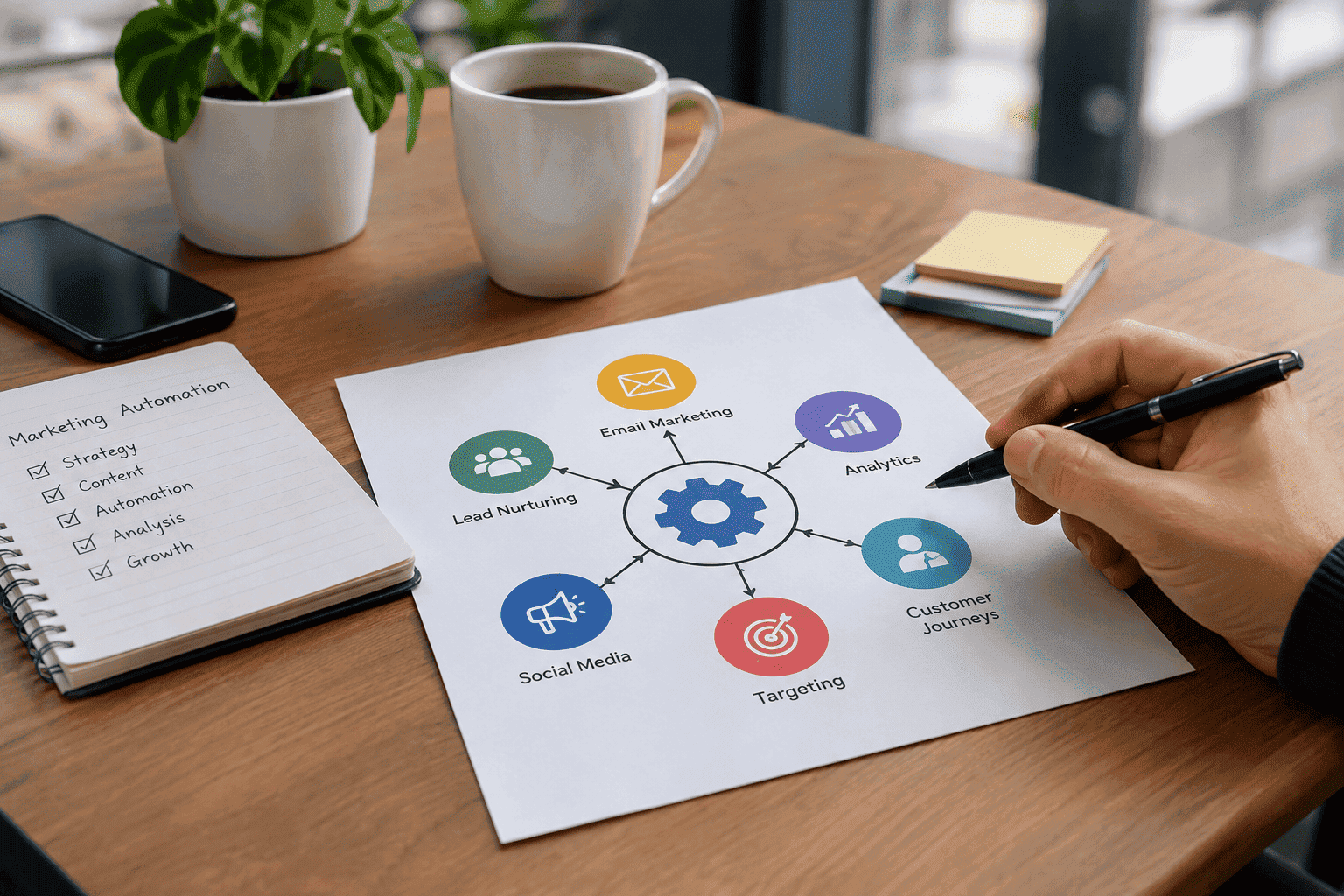
Marketing has become more complex as customers interact with businesses across search engines, websites, email, social media, advertisements, and other digital channels. Marketers need to respond quickly while also delivering relevant information at the right stage of the customer journey.
Managing every interaction manually can become difficult as a business grows. This is where marketing automation can help.
Marketing automation uses software, customer data, triggers, and predefined workflows to automate repetitive marketing activities. Instead of manually sending every follow-up, updating every contact record, or moving every lead through a campaign, businesses can create systems that perform these actions automatically when specific conditions are met.
However, marketing automation is not simply about sending more emails or replacing human marketers. Its real value comes from creating organized, timely, and relevant customer journeys while reducing repetitive work.
This guide explains what marketing automation is, how it works, what businesses can automate, its benefits, common mistakes, real-world examples, important metrics, and how to build an effective marketing automation strategy.
What Is Marketing Automation?
Marketing automation is the use of software to perform repetitive marketing tasks automatically according to predefined triggers, conditions, and actions.
For example, imagine that someone visits a website and downloads a guide. Instead of requiring a marketer to manually follow up, an automation system can:
- Record the person’s information.
- Send a confirmation email.
- Add the contact to a relevant segment.
- Start a nurturing sequence.
- Monitor engagement.
- Change the contact’s status based on activity.
- Notify the sales team when appropriate.
The exact process depends on the business and its objectives, but the basic principle remains the same: customer activity triggers an automated response.
Marketing automation is therefore less about replacing marketing strategy and more about making the execution of that strategy systematic and scalable.
How Does Marketing Automation Work?
Marketing automation generally follows a straightforward process:
Trigger → Conditions → Action → Measurement → Optimization
Each part has an important role in the overall workflow.
Triggers Start the Automation
A trigger is an event that starts an automated workflow.
Common triggers include:
- Newsletter signup
- Form submission
- Content download
- Product purchase
- Free-trial registration
- Demo request
- Website activity
- Email interaction
- Webinar registration
- Cart activity
For example, when a visitor submits a form to download an SEO guide, that submission can trigger a welcome email and place the visitor into a relevant lead-nurturing workflow.
Customer Data Determines the Next Step
After the trigger occurs, the system can use available customer information to determine what should happen next.
This information may include:
- Customer name
- Email address
- Company
- Industry
- Customer status
- Previous purchases
- Website behavior
- Content interests
- Lead source
- Email engagement
- Funnel stage
Good automation depends on useful and accurate data. Poor-quality information can result in irrelevant messages and incorrect customer journeys.
Conditions Create Different Paths
Automation does not have to treat every contact in exactly the same way.
Conditions allow the system to create different paths depending on customer behavior.
For example:
If a person downloads a guide,
then send a related educational email.
If the person clicks the email,
then send more advanced content.
If the person does not engage,
then wait and send a different follow-up.
This makes automation more responsive than a simple one-size-fits-all campaign.
Actions Execute the Workflow
Once the conditions are evaluated, the system performs an action.
Possible actions include:
- Sending an email
- Updating a contact record
- Adding a person to a segment
- Removing a person from a campaign
- Assigning a lead
- Notifying a salesperson
- Updating a customer stage
- Triggering another workflow
- Synchronizing information with another system
The action should always have a clear purpose within the customer journey.
Analytics Measure the Results
Automation should not operate without measurement.
Businesses can monitor metrics such as:
- Conversion rate
- Click-through rate
- Lead-to-customer rate
- Engagement
- Unsubscribe rate
- Revenue
- Workflow completion
- Customer retention
These results help marketers determine what is working and where the workflow needs improvement.
What Can Marketing Automation Automate?
Marketing automation can support many areas of digital marketing and customer communication.
Email Marketing
Email automation is one of the most common applications of marketing automation.
Businesses can automate:
- Welcome emails
- Educational sequences
- Product recommendations
- Trial onboarding
- Event reminders
- Post-purchase communication
- Re-engagement campaigns
- Feedback requests
For example, a new subscriber might receive a welcome email immediately, followed by educational content over the next several days.
The goal should not be to send as many messages as possible. The goal is to send useful communication at an appropriate time.
Lead Nurturing
Not every lead is ready to purchase immediately.
Some prospects need more information before making a decision. Lead nurturing allows businesses to maintain communication while gradually providing relevant information.
A basic nurturing journey might look like:
New Lead → Educational Content → Case Study → Product Information → Demo or Consultation
The actual sequence should depend on the business, audience, product, and buying process.
Lead Scoring
Lead scoring helps businesses prioritize prospects according to predefined characteristics or behaviors.
A business might consider:
- Company size
- Industry
- Product interest
- Website activity
- Content engagement
- Demo requests
- Trial activity
- Previous interactions
Lead scoring can help marketing and sales teams agree on what qualifies as a more engaged or sales-ready lead.
Customer Segmentation
Segmentation divides contacts into groups based on relevant characteristics or behaviors.
Examples include:
- New subscribers
- Existing customers
- Trial users
- Repeat customers
- Highly engaged leads
- Inactive contacts
- Enterprise prospects
- Customers interested in a specific product
Segmentation allows businesses to create more relevant communication instead of sending the same message to everyone.
CRM Updates
Marketing automation can also work with customer relationship management systems.
For example, a new form submission could:
- Create a contact record.
- Record the lead source.
- Assign the lead to a salesperson.
- Send a confirmation email.
- Start a nurturing workflow.
This can reduce repetitive administrative work and help keep marketing and sales information connected.
Customer Onboarding
Automation can continue after someone becomes a customer.
A business can automatically provide:
- Welcome information
- Product tutorials
- Setup instructions
- Educational resources
- Support information
- Feedback requests
A well-designed onboarding workflow can help customers understand what to do next instead of leaving them without guidance after purchase.
Why Does Marketing Automation Matter?
Marketing automation matters because customer journeys can involve many interactions, and managing all of them manually becomes increasingly difficult as a business grows.
It Reduces Repetitive Work
Marketers often perform the same tasks repeatedly.
For example:
- Sending follow-up emails
- Updating contact records
- Moving leads between stages
- Sending reminders
- Organizing customer segments
Automating predictable tasks allows marketing teams to spend more time on strategy, research, creative work, testing, and analysis.
It Improves Response Time
Timing can matter in marketing.
Someone who requests a demo or downloads a resource may expect a quick response. An automated workflow can react immediately when the required trigger occurs.
This does not mean every interaction should be automated, but routine responses can often happen without waiting for manual intervention.
It Supports Personalization
Marketing automation can use customer information and behavior to create more relevant experiences.
Meaningful personalization goes beyond simply adding someone’s first name to an email.
It can involve:
- Previous purchases
- Content interests
- Funnel stage
- Website activity
- Product preferences
- Customer status
The more relevant the communication, the more useful the automation can become.
It Creates Consistent Processes
Without automation, similar customers may receive different experiences depending on who handles the interaction.
A properly designed workflow provides a consistent process for tasks such as:
- Lead follow-up
- Customer onboarding
- Email communication
- Lead qualification
- Data updates
Consistency becomes particularly important when marketing teams grow.
It Makes Marketing More Measurable
Automation platforms can connect customer interactions with campaign and customer data.
This can help businesses understand:
- Which campaigns generate leads
- Which workflows create engagement
- Which actions contribute to conversions
- Where customers leave the journey
- Which processes need improvement
Measurement allows automation to become an ongoing optimization process rather than a set-and-forget system.
Marketing Automation vs. Traditional Marketing
Marketing automation does not replace traditional marketing principles. Instead, it changes how certain marketing activities are executed.
The important point is that automation can improve execution, but the underlying marketing strategy still requires human planning and judgment.
Real-World Marketing Automation Examples
The easiest way to understand marketing automation is to look at practical customer journeys.
SaaS Free-Trial Example
Imagine a software company offering a free trial.
The company could create the following workflow:
Day 0: Account confirmation
Day 1: Introduction to key features
Day 3: Product tutorial
Day 6: Advanced feature guide
Day 10: Support or demo invitation
Day 14: Subscription information
If the customer purchases before the trial ends, the person can automatically leave the trial sequence and enter a customer onboarding workflow.
E-Commerce Example
Consider an online store after a customer makes a purchase.
The automation could send:
- Order confirmation
- Shipping information
- Product-use instructions
- Review request
- Relevant product recommendations
The communication is based on an actual customer event rather than a generic promotional schedule.
B2B Lead Generation Example
Suppose a potential customer submits a demo request.
The workflow could:
- Create or update the CRM record
- Record the lead source
- Notify the relevant salesperson
- Send a confirmation message
- Start an appropriate follow-up process
This creates a structured transition between marketing and sales.
Content Marketing Example
Someone downloads a guide about website analytics.
Instead of immediately sending a sales promotion, the business could provide additional educational resources about:
- Website tracking
- Conversion measurement
- Analytics implementation
- Reporting
- Data interpretation
Future communication can then depend on the person’s engagement.
How to Build a Marketing Automation Strategy
Successful automation should begin with a business objective rather than with a software feature.
Define the Business Goal
Start by identifying exactly what you want the automation to achieve.
Possible goals include:
- Generate more qualified leads
- Improve lead nurturing
- Reduce manual follow-up
- Increase trial conversions
- Improve customer onboarding
- Increase repeat purchases
- Re-engage inactive customers
A clear goal makes it easier to determine whether the workflow is successful.
Map the Customer Journey
Before creating automation, understand how customers move through the buying process.
Consider:
- How do people discover the business?
- What information do they need?
- Which actions indicate interest?
- When should sales become involved?
- What happens after purchase?
- What could cause a customer to leave?
This prevents businesses from creating disconnected automation workflows.
Identify Repetitive Tasks
Look for activities that happen frequently and follow predictable rules.
Good automation candidates are usually:
- Repetitive
- Rule-based
- Time-sensitive
- High-volume
- Measurable
Not every marketing activity needs to be automated.
Decide What Data You Actually Need
Do not collect customer information simply because a platform allows it.
Identify the data required for:
- Segmentation
- Personalization
- Lead qualification
- Reporting
- Customer communication
Collecting unnecessary information can make systems more complicated without creating additional value.
Build a Simple Workflow
Start with one useful workflow.
For example:
Form Submission → Confirmation Email → Educational Content → Engagement Check → Next Action
Once the workflow works correctly, additional conditions can be introduced where they provide a genuine benefit.
Test Before Launching
Every workflow should be tested before being released.
Check:
- Triggers
- Conditions
- Email content
- Links
- Personalization
- Timing
- Segmentation
- Exit conditions
- CRM updates
- Unsubscribe processes
A small configuration error can send the wrong message to the wrong audience.
Measure the Results
Choose metrics that directly relate to the original objective.
If the objective is lead generation, measure qualified leads and conversions rather than focusing only on email activity.
If the objective is customer retention, look at customer behavior and retention-related outcomes.
Improve the Workflow
Automation should be treated as an ongoing process.
Performance data may reveal that:
- One email is not useful
- Leads are contacted too frequently
- A form requests unnecessary information
- Sales receives leads too early
- Customers need more onboarding support
Use these observations to improve the workflow.
Common Marketing Automation Mistakes
Marketing automation can create poor customer experiences when it is implemented without sufficient planning.
Automating Everything
Automation is not appropriate for every marketing activity.
Customer research, creative strategy, important conversations, relationship building, and strategic decisions often require human involvement.
The objective should be to automate appropriate processes, not to remove people from marketing.
Sending Too Many Messages
Automation can make frequent communication easy.
That does not mean frequent communication is always appropriate.
Irrelevant or excessive messages can frustrate customers and increase unsubscribes.
Using Poor-Quality Data
Incorrect customer data can result in incorrect automation.
For example, a customer who has already purchased a product should not continue receiving a sequence designed only for people who have not purchased.
Ignoring Customer Intent
Someone downloading an introductory guide is not necessarily at the same stage as someone requesting a product demonstration.
Automation should consider customer intent whenever possible.
Creating Overly Complex Workflows
Complexity can make automation difficult to understand, test, and maintain.
A simple workflow that consistently works can be more useful than a complicated system that the team cannot manage effectively.
Forgetting Exit Conditions
Customers should not remain in an automation sequence after their situation changes.
For example, a customer who purchases a product should generally leave a pre-purchase promotional sequence.
Measuring Only Vanity Metrics
Open rates and clicks can provide useful information, but they do not automatically prove business success.
Where possible, connect automation metrics to meaningful outcomes such as:
- Qualified leads
- Purchases
- Revenue
- Retention
- Customer engagement
Marketing Automation and AI
Marketing automation and artificial intelligence are related, but they are not the same thing.
Traditional marketing automation usually relies on predefined rules.
For example:
If a visitor downloads a guide → send a follow-up email.
AI-powered systems can potentially analyze larger amounts of data and assist with activities such as:
- Content creation
- Customer segmentation
- Recommendations
- Predictive analysis
- Personalization
- Campaign optimization
The two approaches can work together.
For example, an automation platform may trigger a workflow while AI helps determine which content is most relevant to a particular audience.
However, AI does not remove the need for human oversight. Businesses still need clear objectives, accurate data, appropriate controls, and responsible decision-making.
Marketing Automation and Data Privacy
Marketing automation often involves collecting and processing customer information, so privacy should be considered during the planning stage.
Businesses should understand:
- What information they collect
- Why they collect it
- How it will be used
- Who can access it
- How long it should be retained
- How customers can manage their preferences
- What consent requirements apply
Privacy requirements vary by country, audience, and type of communication. Businesses should therefore make sure their automation practices comply with the laws and regulations applicable to their operations.
Privacy should not be treated as an afterthought. It should be part of the workflow design from the beginning.
How to Choose Marketing Automation Software
There is no single marketing automation platform that is suitable for every business.
The right choice depends on business size, goals, existing technology, budget, team skills, and customer journey complexity.
Evaluate the Workflow Builder
Ask whether the platform can create the workflows your business actually needs.
Look for practical capabilities such as:
- Triggers
- Conditions
- Delays
- Branching
- Actions
- Exit rules
Check CRM Integration
If the business already uses a CRM, the automation platform should work effectively with it.
Poor integration can create disconnected customer records and unnecessary manual work.
Review Segmentation Features
The platform should allow you to create useful audience groups based on relevant information and customer behavior.
Examine Analytics
Look for reporting that helps answer meaningful questions.
For example:
- Which workflow produces conversions?
- Where do leads stop engaging?
- Which customer segments perform differently?
- Which campaigns contribute to revenue?
Consider Ease of Use
A platform with hundreds of features is not necessarily useful if the team cannot manage it.
Choose technology that matches the team’s skills and operational requirements.
Consider Scalability
Your requirements may change as the business grows.
Consider whether the platform can support:
- More contacts
- More workflows
- Additional integrations
- More complex customer journeys
- Larger marketing teams
Review Cost
Look beyond the advertised subscription price.
Consider:
- Contact limits
- Email volume
- Additional users
- Premium features
- Integrations
- Implementation costs
- Training requirements
The goal is to choose a system that provides useful capabilities without unnecessary complexity or expense.
Important Marketing Automation Metrics
The right metrics depend on the purpose of the automation.
Acquisition Metrics
Useful acquisition metrics can include:
- Leads generated
- Cost per lead
- Lead source
- Landing-page conversion rate
Engagement Metrics
These can include:
- Email click-through rate
- Content engagement
- Website interactions
- Workflow participation
Conversion Metrics
Businesses may track:
- Lead-to-customer conversion
- Trial-to-paid conversion
- Demo-to-customer conversion
- Purchase conversion
Customer Metrics
For customer-focused automation, useful measurements may include:
- Repeat purchases
- Retention
- Renewals
- Customer engagement
Financial Metrics
Depending on the business model, financial measurements can include:
- Customer acquisition cost
- Customer lifetime value
- Revenue
- Revenue per customer
The most important principle is to connect measurement to the original business objective.
A Simple Marketing Automation Workflow
A basic B2B lead-nurturing workflow could look like this:
Visitor discovers an article
↓
Visitor downloads a resource
↓
Contact record is created
↓
Welcome email is sent
↓
Educational content is delivered
↓
Engagement is evaluated
If the Lead Engages
The system may:
- Send more advanced content
- Offer a consultation
- Invite the person to a demo
- Notify the sales team
If the Lead Does Not Engage
The system may:
- Send additional educational content
- Wait before sending another message
- Start a re-engagement sequence
- Move the contact to another segment
This demonstrates how marketing automation can adapt the customer journey without requiring someone to manually manage every step.
When Should a Business Use Marketing Automation?
Marketing automation can become useful when a business has predictable marketing processes that are becoming difficult to manage manually.
Potential signs include:
- A growing contact database
- Frequent lead generation
- Repetitive follow-ups
- Multiple customer segments
- Regular onboarding processes
- A defined sales funnel
- Increasing marketing workload
- A need for better reporting
However, automation should not be used to compensate for a weak marketing strategy.
If the audience is unclear, the offer is confusing, the content is irrelevant, or the customer journey is poorly designed, automation may simply make those problems happen at a larger scale.
Frequently Asked Questions About Marketing Automation
What Is Marketing Automation in Simple Terms?
Marketing automation is software that performs repetitive marketing tasks automatically based on customer actions, information, and predefined rules.
Is Marketing Automation Only Used for Email Marketing?
No. Email is one of the most common uses, but marketing automation can also support lead management, segmentation, customer onboarding, CRM updates, lead scoring, and other marketing processes.
How Does Marketing Automation Work?
It typically works through triggers, conditions, and actions. A customer event activates a workflow, the system evaluates predefined conditions, and the appropriate action is performed.
What Is a Simple Example of Marketing Automation?
A newsletter signup can trigger a welcome email, followed by an educational sequence. The customer’s future actions can determine which communication they receive next.
Does Marketing Automation Replace Marketers?
No. It can automate repetitive execution, but marketers still need to develop strategy, understand customers, create useful content, analyze results, and make decisions.
Is Marketing Automation Useful for Small Businesses?
Yes. Small businesses can use simple automation for activities such as welcome emails, lead follow-ups, appointment reminders, onboarding, and post-purchase communication.
What Is the Difference Between CRM and Marketing Automation?
A CRM primarily manages customer and prospect information and relationships, while marketing automation focuses on automatically executing marketing activities and workflows. The two systems can work together.
What Should a Business Automate First?
Start with a repetitive process that has a clear purpose and measurable outcome. Examples include welcome sequences, lead follow-ups, onboarding, and post-purchase communication.
Can Marketing Automation Personalize Customer Communication?
Yes. Automation can use customer information, segmentation, and behavioral data to determine which messages are relevant to different audiences.
What Is the Biggest Marketing Automation Mistake?
A common mistake is focusing on automation itself instead of the customer experience. Automated communication should be relevant, appropriately timed, and connected to a clear business objective.
Conclusion
Marketing automation is not simply a tool for sending automatic emails. It is a system for connecting customer behavior, data, workflows, communication, and business goals.
The basic process is straightforward: a trigger starts a workflow, conditions determine the appropriate path, an action takes place, and the results are measured.
The real value comes from how those elements are designed.
Businesses that want effective automation should start with a clear objective, understand their customer journey, identify repetitive processes, collect useful data, build simple workflows, test everything, and continuously improve based on actual results.
Automation should support human marketing—not replace the thinking behind it.
When technology is combined with useful content, accurate data, thoughtful segmentation, responsible data practices, and a clear customer journey, marketing automation can become an important part of a scalable and measurable digital marketing strategy.
Customer Acquisition Strategies