

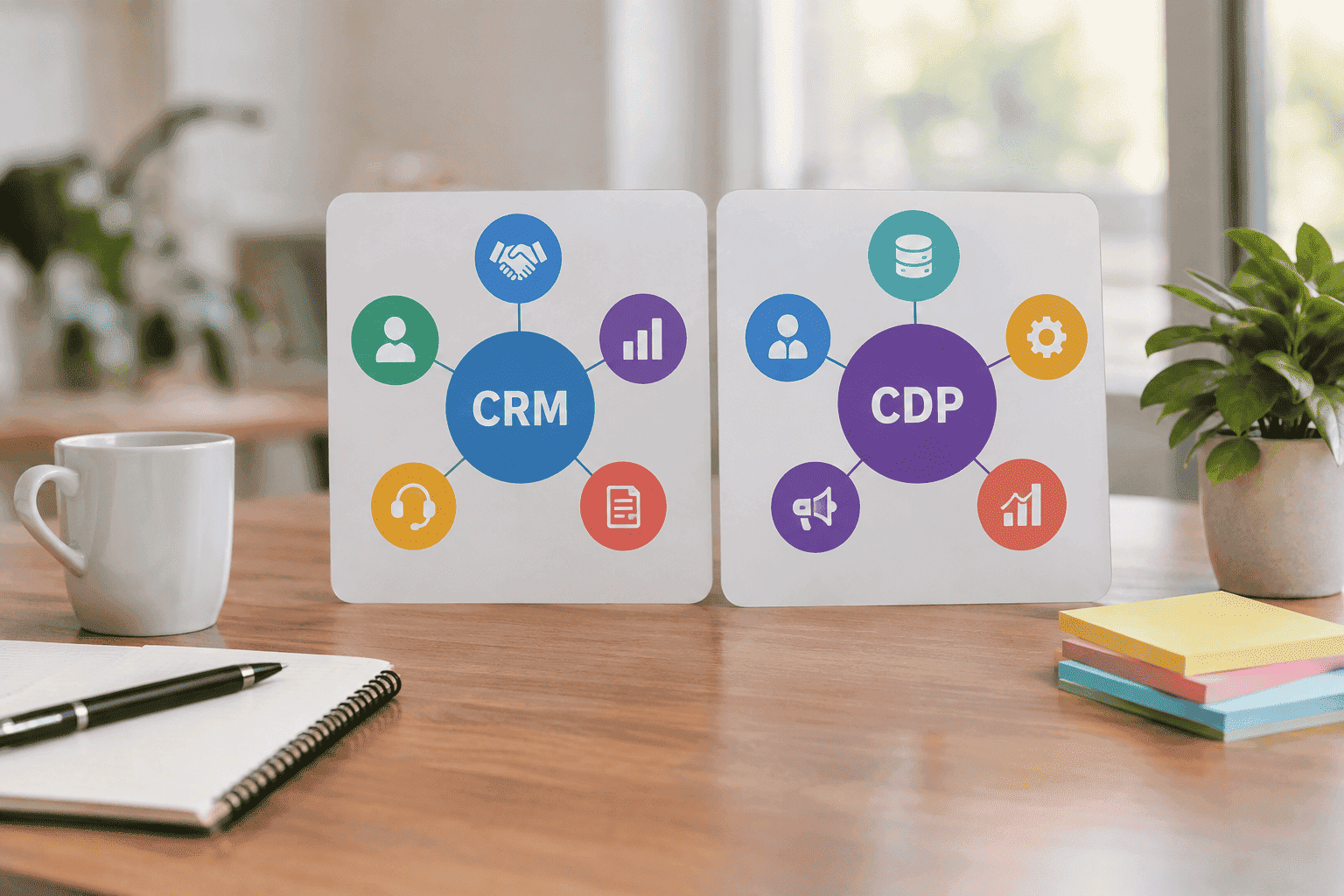
Businesses collect customer information from more places than ever. A person might visit a website, interact with an advertisement, open an email, use a mobile app, contact customer support, speak with a sales representative, and eventually make a purchase.
The challenge is not simply collecting all this information. The bigger challenge is understanding where the data comes from, connecting information that belongs to the same customer, and making that information useful to the teams and systems that need it.
This is where CRM and CDP become important.
A CRM (Customer Relationship Management) system is primarily designed to help businesses manage relationships and interactions with customers and prospects. It commonly supports sales, account management, customer service, lead management, and related workflows.
A CDP (Customer Data Platform) has a different primary purpose. It is designed to collect customer data from multiple sources, help create and maintain a persistent unified customer record, and make that data accessible to other systems for activities such as analysis, segmentation, personalization, and activation.
Although CRM and CDP platforms can have overlapping capabilities, they are not the same technology. Understanding the difference can help a business choose the right tools and build a more effective marketing technology stack.
What Is a CRM?
CRM stands for Customer Relationship Management.
A CRM is a system that helps organizations manage information and interactions related to customers, prospects, leads, accounts, and business relationships.
Instead of keeping customer information across spreadsheets, email inboxes, notes, and disconnected applications, a CRM gives customer-facing teams a structured place to manage relationship-related information.
For example, a sales representative might use a CRM to see:
- Customer contact information
- Company and account details
- Open sales opportunities
- Deal stages
- Previous calls and meetings
- Follow-up tasks
- Email interactions
- Service history
- Notes from sales conversations
- Contract or renewal information
The main purpose is to help teams manage customer relationships and the activities associated with those relationships.
What Does a CRM Do?
A CRM can support a wide range of business activities, including:
- Lead management
- Contact management
- Account management
- Sales pipeline management
- Opportunity tracking
- Customer service
- Task and follow-up management
- Sales reporting
- Customer communication history
- Workflow automation
The exact capabilities depend on the CRM platform. Some modern CRM products also include marketing automation, analytics, artificial intelligence, customer service, and other features.
However, relationship management remains the central concept behind CRM technology.
What Is a CDP?
CDP stands for Customer Data Platform.
A CDP is designed to bring customer information together from multiple sources and create a more unified view of customer data.
The CDP Institute describes a CDP as packaged software that creates and maintains a persistent, unified customer database that is accessible to other systems.
This distinction is important.
A CDP is not simply another database where a company stores customer information. Its purpose is to bring together customer data from different sources, connect that data at the customer level, maintain unified profiles, and make those profiles usable by other systems.
A CDP may collect information from sources such as:
- Websites
- Mobile applications
- E-commerce platforms
- CRM systems
- Email platforms
- Customer support systems
- Point-of-sale systems
- Loyalty platforms
- Advertising platforms
- Other business applications
The exact sources depend on the CDP’s integrations and the organization’s technology environment.
How Does a CDP Create a Unified Customer Profile?
Imagine that one customer interacts with a business through several different systems.
The customer may:
- Visit the website.
- Browse several products.
- Subscribe to an email list.
- Use the mobile application.
- Make a purchase.
- Contact customer support.
- Return to the website several days later.
Each system may record different information.
The website may know about browsing behavior. The email platform may know about email engagement. The commerce system may know about purchases. The support system may contain service interactions.
A CDP can bring relevant information from these sources together and associate it with a unified customer profile, provided the necessary data, integrations, identity signals, permissions, and matching rules are available.
This gives the business a broader customer-data view than any single source may provide.
What Is Identity Resolution in a CDP?
Identity resolution is the process of connecting different identifiers and records that may belong to the same customer.
For example, the same person could appear in different systems as:
- An email address
- A customer account ID
- A loyalty ID
- A mobile-app identifier
- A website identifier
- A purchase record
Without appropriate identity resolution, one customer could appear as several separate records.
A CDP can use available identifiers and matching rules to determine which records can reasonably be associated with the same customer.
However, identity resolution is not magic. Its accuracy depends on the quality of the available data, matching logic, identifiers, consent rules, and implementation.
This is why a CDP should not be viewed as automatically creating a perfect customer profile from disconnected data.
CRM vs CDP: What Is the Main Difference?
The simplest way to understand the distinction is:
CRM focuses primarily on managing customer relationships and interactions.
CDP focuses primarily on unifying customer data and making unified customer information accessible to other systems.
A CRM is generally built around customer-facing operations such as sales, service, account management, leads, opportunities, and relationship history.
A CDP is generally built around customer data from multiple sources, identity resolution, unified profiles, segmentation, analysis, and activation.
This does not mean that every CRM or CDP works exactly the same way. Modern platforms increasingly include overlapping capabilities, so the actual features of a specific product should always be evaluated before making a technology decision.
CRM vs CDP: Key Differences
The table provides a general distinction, not a rule that applies identically to every product.
CRM vs CDP: How Customer Data Is Used
One of the clearest differences is how each technology approaches customer information.
A CRM might contain a relationship record such as:
Customer: Ahmed
Company: ABC Solutions
Opportunity: Enterprise subscription
Deal stage: Proposal
Last meeting: Monday
Renewal date: December
This information is highly useful for a sales or account-management team.
A CDP may contain a broader collection of customer signals, such as:
Customer profile: 45821
Website activity: Multiple product views
Email activity: Recent engagement
Purchase history: Several orders
Mobile activity: Active
Support activity: Recent interaction
The exact data depends on the sources connected to the CDP.
The important difference is that the CDP is designed to connect customer data from different sources into a unified customer-data environment, rather than simply managing the business relationship itself.
CRM Use Cases
A CRM is particularly useful when a business needs better control over customer-facing operations.
Sales Pipeline Management
Sales teams can use a CRM to track prospects and opportunities through different stages of the sales process.
For example:
New Lead → Qualified → Proposal → Negotiation → Won/Lost
The exact stages depend on the company’s sales process.
Lead Management
A CRM can help teams capture leads, assign ownership, record interactions, schedule follow-ups, and track progress.
Account Management
Businesses can use CRM records to manage customer accounts, contacts, opportunities, contracts, renewals, and relationship history.
Customer Service
CRM platforms can help customer service teams access customer information and maintain records of service interactions.
Sales Reporting
CRM data can support reports about pipeline activity, opportunities, sales performance, and other relationship-related metrics.
CDP Use Cases
A CDP is most useful when customer information is spread across multiple systems and the organization needs a more connected view of that information.
Customer Data Unification
A CDP can collect customer information from multiple sources and organize relevant information into unified customer profiles.
Audience Segmentation
Marketing teams can use unified customer information to create audiences based on attributes, behavior, purchases, engagement, or combinations of signals.
Personalization
A more complete customer profile can help businesses create more relevant experiences when the CDP is connected to systems capable of delivering those experiences.
Customer Journey Analysis
A CDP can help organizations analyze customer activity across multiple touchpoints instead of looking at every channel separately.
Cross-Channel Activation
A CDP can make unified customer data available to downstream systems used for marketing, personalization, advertising, analytics, and other activities.
Behavioral Audiences
Businesses can create audiences based on customer actions, such as:
- Viewed a product
- Added an item to a cart
- Purchased previously
- Engaged with an email
- Used a mobile application
- Became inactive for a defined period
The available capabilities depend on the CDP and the systems connected to it.
CRM vs CDP: A Practical Example
Consider an online clothing business.
A customer visits the website and looks at several running shoes.
The customer then:
- Views multiple products.
- Add one pair to the cart.
- Leaves without purchasing.
- Open a marketing email.
- Returns from another device.
- Completes the purchase.
- Contacts customer support about delivery.
The CRM may contain the customer’s account, purchase information, support interaction, and other relationship-related information.
The CDP can potentially connect the customer’s website activity, email engagement, purchase data, and other available customer signals into a unified profile.
This allows the business to understand more of the customer’s journey and potentially create a relevant audience or experience.
The two systems therefore do not necessarily compete.
They can perform different jobs within the same customer-data ecosystem.
Can a CRM Replace a CDP?
In most cases, a CRM should not automatically be considered a complete replacement for a CDP.
Modern CRM platforms can contain substantial customer information and may offer marketing, analytics, automation, and data capabilities.
However, a CRM is primarily designed around customer relationship and operational processes.
A CDP has a different core purpose: bringing customer data from multiple sources together, maintaining unified customer profiles, and making that information accessible to other systems.
If a business has customer behavior distributed across websites, applications, commerce platforms, support systems, physical stores, and marketing tools, a CRM alone may not provide the type of cross-source customer-data architecture that the business needs.
Whether a CRM can cover a particular CDP use case depends on the capabilities of the specific CRM and the organization’s requirements.
Can a CDP Replace a CRM?
A CDP should not automatically be considered a CRM replacement either.
A CDP can provide valuable customer context, but customer relationship management involves operational workflows such as:
- Managing opportunities
- Assigning sales ownership
- Scheduling follow-ups
- Tracking deals
- Managing accounts
- Managing customer service processes
- Recording relationship activity
These functions are central to CRM systems.
A CDP can provide customer intelligence that supports these activities, but that does not automatically make it a full CRM.
CRM and CDP: Why Businesses May Use Both
For many organizations, the real question is not CRM vs CDP.
It is whether they need CRM + CDP.
A simplified customer-data architecture might look like this:
Website + Mobile App + E-commerce + Support + CRM + Other Sources
↓
CDP
↓
Unified Customer Profiles
↓
Marketing + Analytics + Personalization + Advertising + CRM
In this type of architecture, the CDP can serve as a customer-data layer while the CRM continues to support relationship and operational workflows.
For example, a CDP may identify that a customer has recently viewed several products and previously purchased products from the same category.
That information could potentially be shared with other systems so marketing or customer-facing teams can use it appropriately.
At the same time, CRM information can contribute to the broader customer-data environment.
The result can be a more connected customer-data ecosystem.
When Should You Choose a CRM?
A CRM should generally be a priority when the main business problem involves customer relationships and customer-facing operations.
A CRM may be appropriate if:
- Sales opportunities are difficult to manage.
- Customer information is scattered across spreadsheets.
- Sales representatives lack visibility into previous interactions.
- Follow-ups are being missed.
- Customer service needs better account context.
- Lead ownership is unclear.
- Sales reporting is difficult.
- Account and renewal management needs improvement.
For many small and growing businesses, a CRM can be a practical starting point before investing in more complex customer-data infrastructure.
When Should You Consider a CDP?
A CDP becomes more relevant when customer data is fragmented across multiple systems and the business needs to connect that information.
A CDP may be worth evaluating if:
- Customer data exists across many platforms.
- Website and app behavior are important to the business.
- Marketing teams need unified customer profiles.
- Advanced audience segmentation is required.
- Customer behavior needs to be connected with customer records.
- Multiple channels need consistent customer context.
- Data silos are limiting personalization.
- The organization has the technical and operational resources required to manage the platform.
A CDP should not be purchased simply because a company has a large amount of data.
The business should first identify the specific customer-data problem it needs to solve.
How to Decide Between CRM and CDP
A simple decision framework can make the choice easier.
Choose a CRM First If Your Main Problem Is Relationships
If you need better sales management, lead tracking, account management, customer service, and follow-up processes, a CRM is likely the more relevant starting point.
Consider a CDP If Your Main Problem Is Fragmented Data
If customer information is spread across websites, apps, commerce platforms, marketing systems, and other sources, and you need to connect that information, a CDP may be more appropriate.
Consider Both If You Have Both Problems
If your business needs strong relationship management as well as unified customer data, a connected CRM and CDP architecture may make sense.
The important point is to select technology based on business requirements rather than choosing a platform simply because it has more features.
Important Factors Before Buying a CDP
A CDP can become a major part of a company’s marketing and data infrastructure. Choosing one requires more than comparing feature lists.
Data Sources and Integrations
Check whether the CDP can connect to the systems that actually contain your customer information.
Important sources may include:
- Website
- Mobile app
- E-commerce platform
- CRM
- Email platform
- Customer support system
- Point-of-sale system
- Data warehouse
Identity Resolution
Understand how the platform identifies and connects records that may belong to the same customer.
Ask how identity matching works, which identifiers are supported, and how the organization can manage incorrect or uncertain matches.
Data Quality
A unified profile is only useful when the underlying data is reasonably accurate, consistent, and appropriately maintained.
Duplicate, outdated, incomplete, or incorrectly matched records can reduce the value of the entire system.
Real-Time Requirements
Not every business needs real-time customer-data processing.
Determine whether your actual use cases require immediate updates or whether scheduled data synchronization is sufficient.
Activation Capabilities
Look at where the unified customer data can go after it has been collected and processed.
Depending on the platform, this could include:
- Marketing platforms
- Analytics systems
- Personalization tools
- Advertising platforms
- Customer service systems
- CRM systems
Privacy and Consent
Customer data must be handled responsibly.
Businesses should consider applicable privacy laws, consent requirements, internal policies, data-access controls, security practices, and retention requirements before implementing a customer-data platform.
Data Governance
Define who owns customer data, who can access it, how records are corrected, how data is retained, and how the organization handles conflicting information.
Total Cost of Ownership
The cost of a CDP is not limited to the software subscription.
Businesses should also consider:
- Implementation
- Integration development
- Data engineering
- Data quality work
- Governance
- Maintenance
- Training
- Ongoing administration
A technically powerful platform can still be a poor investment if the organization cannot support it properly.
Common CRM and CDP Mistakes
Treating CRM and CDP as Direct Replacements
The two platforms can overlap, but their primary purposes are different.
A CRM is primarily concerned with managing relationships and related operational processes.
A CDP is primarily concerned with unifying customer data and making that information accessible to other systems.
Collecting Data Without a Clear Purpose
More data does not automatically create better customer experiences.
Before adding another data source, ask what decision, analysis, personalization use case, or business process the information will improve.
Ignoring Data Quality
A CDP cannot solve every underlying data-quality problem automatically.
If source systems contain duplicate, inaccurate, incomplete, or inconsistent records, those issues can affect the quality of unified customer profiles.
Ignoring Privacy and Governance
Customer data should not be treated as an unlimited business resource.
Privacy, consent, security, access control, and data-retention practices should be considered from the beginning.
Buying Technology Before Defining the Use Case
Instead of asking:
“Which platform has the most features?”
Start with:
“What customer-data or relationship-management problem are we trying to solve?”
Once the problem is clear, it becomes much easier to determine whether a CRM, CDP, or combination of technologies is appropriate.
CRM vs CDP: The Bottom Line
CRM and CDP platforms both play important roles in modern customer-data and marketing technology environments, but they are built around different primary objectives.
A CRM primarily helps manage customer relationships, sales processes, accounts, leads, and customer interactions.
A CDP primarily helps collect and connect customer data from multiple sources, create and maintain unified customer profiles, and make that information accessible to other systems.
This distinction is more precise than simply saying that a CRM “stores customer data” while a CDP “manages customer data.” Both systems can store and process customer information. The important difference is what each system is primarily designed to accomplish.
A CRM gives customer-facing teams the operational tools they need to manage relationships.
A CDP provides a customer-data layer that can connect information from different touchpoints and make unified data useful across other systems.
For a small business with a straightforward sales process, a CRM may be all that is necessary.
For an organization with complex customer journeys and fragmented data across multiple channels, a CDP may provide significant additional value.
For larger or more data-intensive businesses, the strongest approach may be to use both technologies together.
The goal should not be to collect the maximum amount of data or purchase the largest technology stack. The goal is to create a reliable, useful, privacy-conscious customer-data environment that helps teams understand customers, make better decisions, and deliver better experiences.
FAQs About CRM vs CDP
Is a CRM the same as a CDP?
No. A CRM primarily focuses on managing customer relationships, interactions, accounts, leads, sales activities, and service workflows. A CDP focuses on bringing customer data from multiple sources together, maintaining unified customer profiles, and making that information accessible to other systems.
What is the main difference between CRM and CDP?
The simplest distinction is that a CRM is primarily relationship-focused, while a CDP is primarily customer-data-focused. A CRM helps teams manage customer relationships and related processes, while a CDP helps connect customer data from multiple sources into unified profiles.
Can a CRM and CDP work together?
Yes. They can complement each other. A CDP can provide unified customer data and customer context, while a CRM can use relevant information to support sales, service, account management, and other relationship-focused activities.
Is a CDP better than a CRM?
Neither is universally better. They solve different problems. A CRM is generally more appropriate for relationship and operational management, while a CDP is more appropriate when a business needs to connect customer data from multiple sources.
Does a CDP replace a CRM?
Usually, no. A CDP may provide customer-data unification and activation capabilities, but that does not automatically replace CRM functions such as opportunity management, sales workflows, account management, and customer relationship operations.
Does a CRM replace a CDP?
Not necessarily. A CRM can contain substantial customer information, but a CDP is specifically designed around bringing customer data from multiple sources together and making unified customer information accessible to other systems.
What type of business needs a CDP?
Businesses with complex customer journeys, multiple data sources, fragmented customer information, and advanced segmentation, personalization, analytics, or activation requirements may benefit from a CDP.
What type of business needs a CRM?
Businesses that manage leads, customers, sales opportunities, accounts, or customer-service relationships can benefit from a CRM.
Why is identity resolution important in a CDP?
Identity resolution helps connect different customer identifiers and records that may belong to the same person. It is important because customer interactions can otherwise remain fragmented across different systems.
Should a small business buy both a CRM and a CDP?
Not necessarily. A small business should first identify its actual needs. If sales and relationship management are the main challenges, a CRM may be sufficient. A CDP can be considered when customer data becomes more fragmented and the business needs advanced data unification and activation.
Conclusion
Understanding CRM vs CDP becomes much easier when their primary responsibilities are separated.
A CRM primarily helps a business manage customer relationships and related operational activities.
A CDP primarily helps a business bring customer data from multiple sources together, create and maintain unified customer profiles, and make that information accessible to other systems.
They are different technologies, but they can work together effectively. The CRM can provide the operational environment for sales, service, and account teams, while the CDP can provide a broader customer-data layer across multiple touchpoints.
Before choosing either technology, define the actual business problem.
If your biggest challenge is managing leads, sales opportunities, customer accounts, and relationships, start by evaluating a CRM.
If your biggest challenge is fragmented customer data across multiple channels and systems, evaluate whether a CDP can solve that data-unification problem.
If you need both, a connected CRM and CDP architecture may provide the strongest foundation.
Ultimately, the best technology stack is not the one with the most tools. It is the one that turns reliable customer data into useful insights, better decisions, stronger customer experiences, and measurable business value.